





Printer Maintenance at Supply Change: How a 2-Minute Habit Can Prevent Downtime
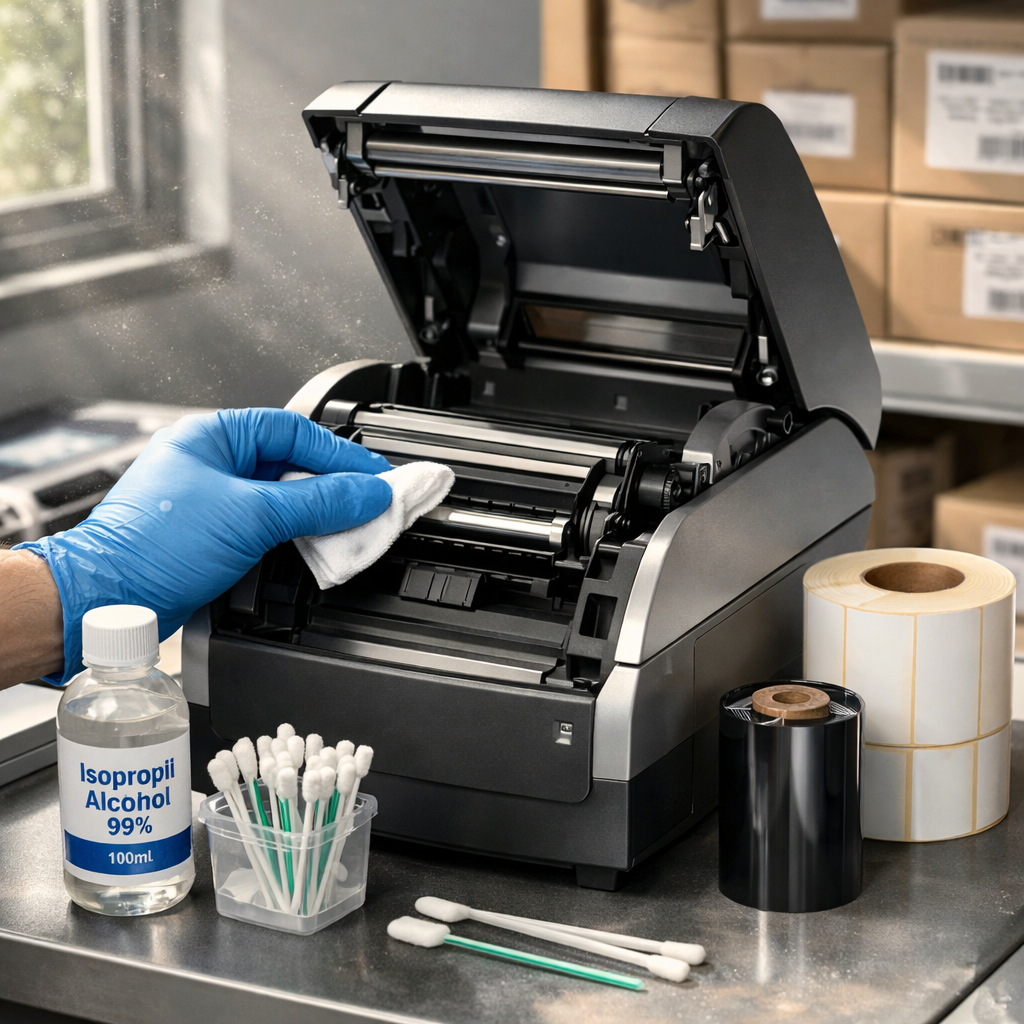
In busy production and shipping environments, it’s easy to forget about printer maintenance until there is a problem. But one of the simplest ways you can prevent future print quality issues and unexpected downtime is to get in the habit of a building a quick maintenance routine into every supply change.
This really can be done in 2 minutes or less and can significantly extend the life of your printhead, improve print consistency, and save you from costly disruptions.
Why Maintenance at Supply Change Matters
Every time you change labels or ribbons; your printer is already open and accessible. That makes it a perfect time to perform a few quick cleaning steps that:
- Remove adhesive buildup and paper dust
- Prevent printhead damage
- Reduce ribbon wrinkles and voids
- Maintain clean print and high barcode scan quality
So, what is the 2-Minute Maintenance Routine?
- Clean the Printhead
- Wipe the Platen Roller
- Check for Any Other Debris Along the Media Path
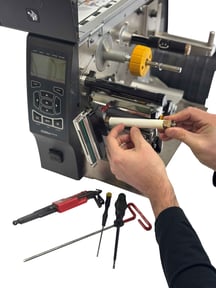
The printhead is the most critical (and pricey) component in your thermal printer. Use a lint-free swab, cloth, or cleaning pen with isopropyl alcohol (99.7% is best) and gently wipe across the printhead from end to end.
Why?
Residue buildup can create white lines, inconsistent print, or even permanent damage over time.
The platen roller drives your labels through the printer and directly impacts quality. Rotate the roller while wiping it with a lint-free cloth and 99.7% isopropyl alcohol to remove adhesive, dust, and debris.
Why?
A dirty or damaged platen roller can cause your media to slip, poor print quality, and even prematurely damage your printhead by causing it to overcompensate for poor contact.
Look for small pieces of labels, adhesive buildup, or dust inside the printer. Pay special attention to:
- Sensor areas
- Guides and edges
- Peel bars (if applicable)
Why?
Even small amounts of debris can throw off sensors or cause misfeeds.
*Make sure all label guides are in the proper position and that all sensors are placed to accurately detect gaps or marks.
What NOT to Use for Cleaning
Avoid Isopropyl Alcohol less than 90%. Again, 99.7% is best.
Avoid paper towels or shop rags- they can scratch sensitive components.
How Often Should You Do This?
At a minimum, perform this routine:
- At every ribbon change (for thermal transfer printing)
- At every label roll change (for direct thermal printing).
For high-volume operations, this small habit can prevent big headaches. We see a lot of printers in the field and there is a huge difference in printer and part longevity for those that made this practice a habit.
Need Help or Supplies:
For supplies: www.printersandlabels.com (Coming May 2026)
For printer service: sales@lpautomation.com